BELFRY › Bell guides › An Hourly Chime on iPhone
How to make your iPhone chime every hour
iPhone has no built-in hourly chime. The closest built-in option is on Apple Watch, which can chime on the hour. On iPhone itself you can fake it with 24 alarms or Shortcuts automations, or use an app that rings the hour in the background.
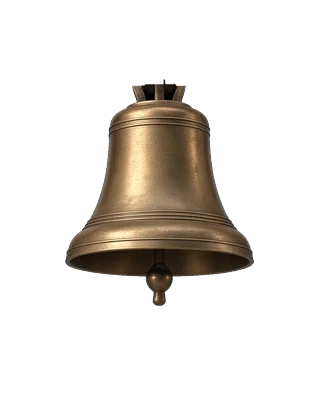
Counted the way a church clock counts it — one toll for each hour.
Option 1: Apple Watch Chimes (built in)
If you wear an Apple Watch, it can chime every hour, half hour or quarter hour. Open Settings on the watch, go to Accessibility, then Chimes. Turn it on, pick the schedule and choose a sound (bells or birds). It is quiet and simple, but it only rings from your wrist, not through a room.
Option 2: An alarm for every hour
You can create one alarm per hour in the Clock app. It works, but each alarm takes over the screen and has to be dismissed, it interrupts music and podcasts, and you need to manage two dozen alarms.
Option 3: Shortcuts automations
In the Shortcuts app, a personal automation can run at a time of day. It works, but you need a separate automation for every hour you want, and it gets fiddly to maintain if you want quiet hours or weekdays only.
Option 4: An app that rings the hour
This is what BELFRY was made for. It strikes the hour the way a church clock does — three tolls at three, twelve at noon — or a single toll if you prefer, with optional half-hour and quarter chimes.
- Rings in the background, with the app closed and the phone locked.
- Mixes with music and podcasts and never interrupts a call.
- Quiet hours overnight, and weekday-only ringing.
- Real bells: church bell, Big Ben, monastery bell for free, and seventeen more with the unlock.
- No ads, no account, no subscription. Free to use, with one optional $9.99 Lifetime Unlock.
Why an hourly chime helps
People who use one tend to say the same things: it keeps you aware of time without looking at a screen, it's a gentle cue to stand up, drink water or take a breath, and it helps with time blindness, which many people with ADHD describe. And for a lot of people it's simply a lovely sound to have in the house.
Questions people ask
Can an iPhone chime every hour?
Not with a built-in setting. You can use 24 alarms, Shortcuts automations, an Apple Watch, or an app like BELFRY that rings the hour in the background.
How do I make my Apple Watch chime every hour?
On the watch open Settings, then Accessibility, then Chimes. Turn Chimes on, set the schedule to hourly and choose a sound.
Is there an hourly chime app for iPhone without ads?
Yes. BELFRY is free to use with no ads and no subscription. It strikes the hour on real recorded bells, with an optional one-time $9.99 unlock.
Will an hourly chime app ring when my iPhone is locked?
BELFRY does. It rings the hours with the app closed and the phone locked, mixing with whatever else is playing.
Can I stop the chime at night?
Yes. BELFRY has quiet hours you set yourself, and can ring on weekdays only.
Hear it on your iPhone
BELFRY is a bell tower in your pocket: twenty real bell voices, the hours struck the way a church clock strikes them, prayer bells and meditation bells, ringing even with your phone locked. Free to download, no ads, ever.